

iPad app for tattoo artists

Tattoo stencils at true scale.

Set the size in centimetres or inches, tile big pieces across as many sheets as they need, and print 1:1 from your iPad.

Download on the App Store

First 3 exports free · No card

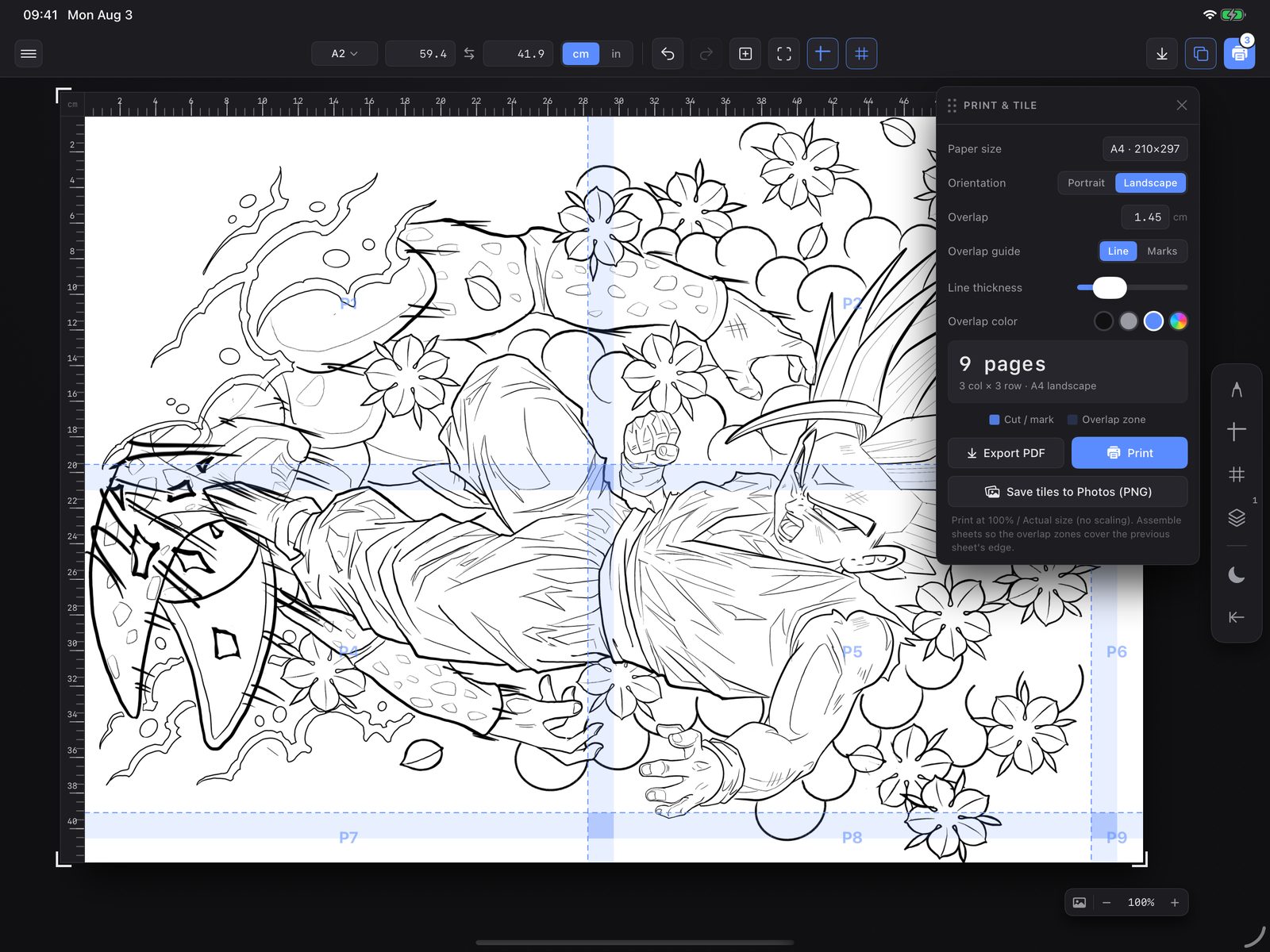
Tatscale on iPad: a design on an A2 canvas, 59.4 × 41.9 cm, split into nine A4 landscape pages, with the Print & Tile panel open.
A2 canvas · 59.4 × 41.9 cm → 9 × A4 landscape
1:1
Print scale, no fit-to-page
11
Sheet sizes, A0 to US Executive
8 cm
Maximum overlap between sheets
cm / in
Switch units at any point

01 The problem

Stop printing test sheets.

Sizing a large stencil usually means a ruler, a photocopier set to some odd percentage, and a few test prints. Print dialogs like to scale things to fit the page, and a piece that comes out 10% small is a placement you redo.

Tatscale keeps the canvas in real units while you work, splits it across sheets with the overlap you choose, and prints at 100%.

02 Features

What it does.

  • cm · in

    Real-unit canvas

    Type the width and height, or start from a paper preset. The rulers read in the same units.

  • pinch

    Size with your fingers

    Pinch to resize the design while the canvas stays at true scale, so what you see is the printed size.

  • P1 → Pn

    Automatic tiling

    Pieces bigger than a sheet split across as many pages as they need, previewed right on the canvas.

  • 0–8 cm

    Overlap you control

    Type a value or drag a seam. Mark it with a line or registration marks, in the colour you want.

  • PDF · PNG

    Three ways out

    Export a tiled PDF, save each tile to Photos as a PNG, or send it to an AirPrint printer.

  • guides

    Guides and grid

    Drag guides off the rulers. Set the grid spacing and put it behind or in front of the artwork.

  • layers

    More than one design

    Imports stack as layers you can select, move, resize and rotate in 90° steps.

  • 2 · 3 taps

    Undo with a tap

    Two-finger tap to undo, three-finger tap to redo. Canvas resizes are undoable too.

  • on-device

    Your art stays yours

    Designs are never uploaded. Your account only holds your email, name and export count.

03 Workflow

Import, scale, tile, print.

Files app

  • PNG
  • JPEG
  • PDFpage 1

Photo Library

  • any image
  • Import again to add another layer.
  • Nothing is uploaded. Files stay on the iPad.
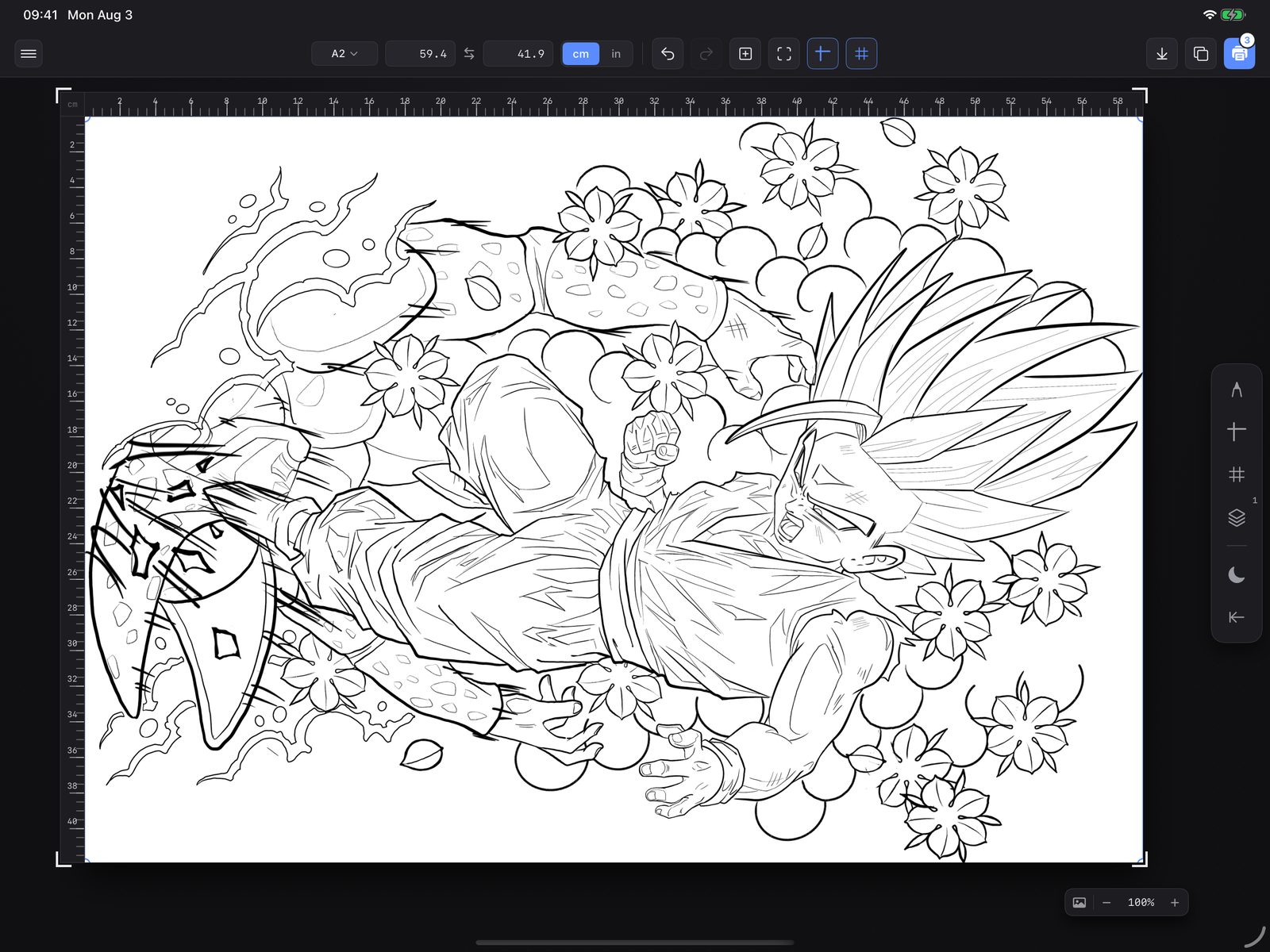
Tatscale toolbar: paper preset A2, width 59.4, height 41.9, unit toggle set to cm. A design placed on an A2 canvas with centimetre rulers along the top and side.
Canvas 59.4 × 41.9 cm · rulers in cm
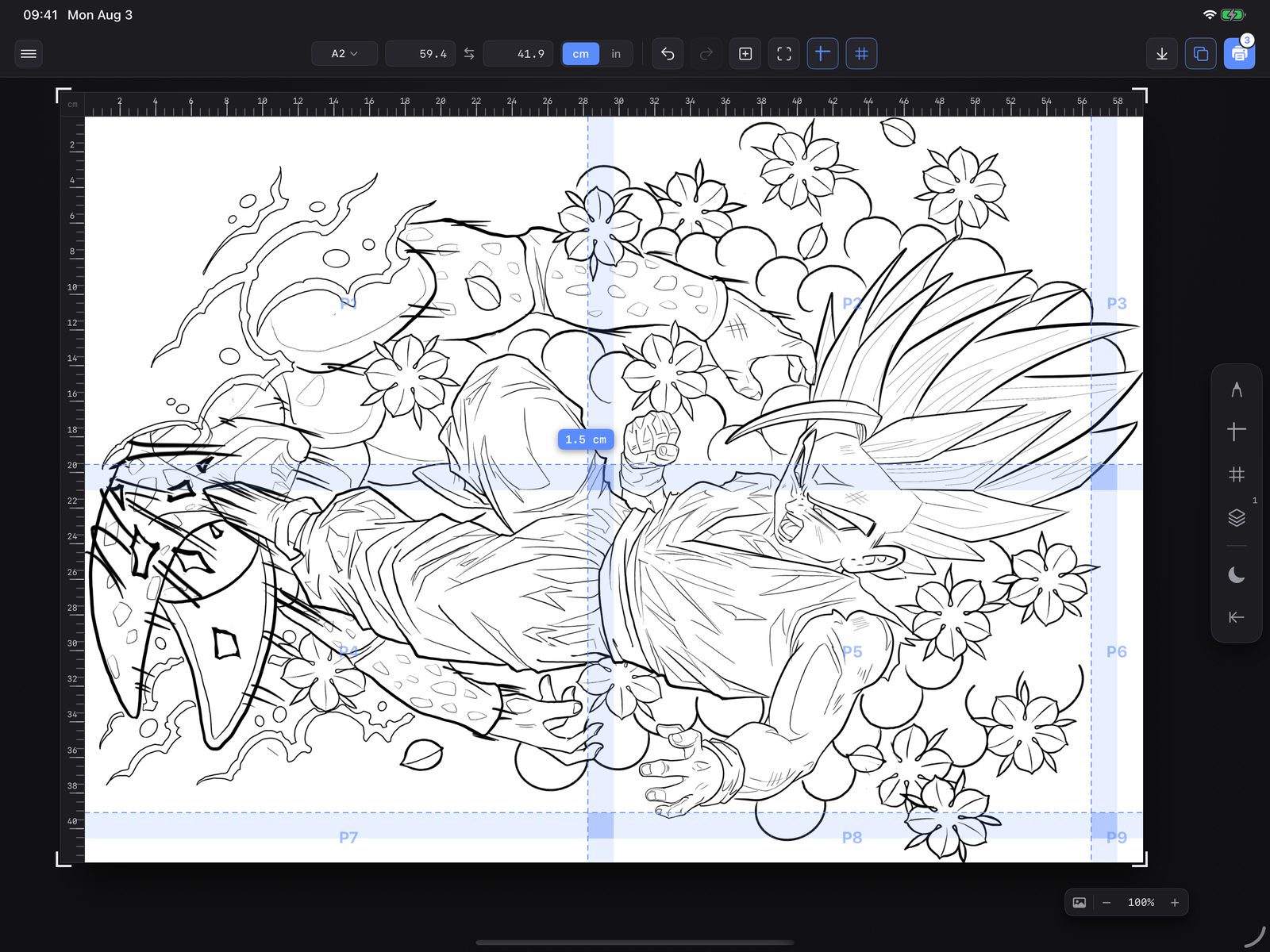
The same design split into pages P1 to P9, with shaded overlap bands and a 1.5 cm label on a seam.
9 pages · 3 × 3 · 1.5 cm overlap
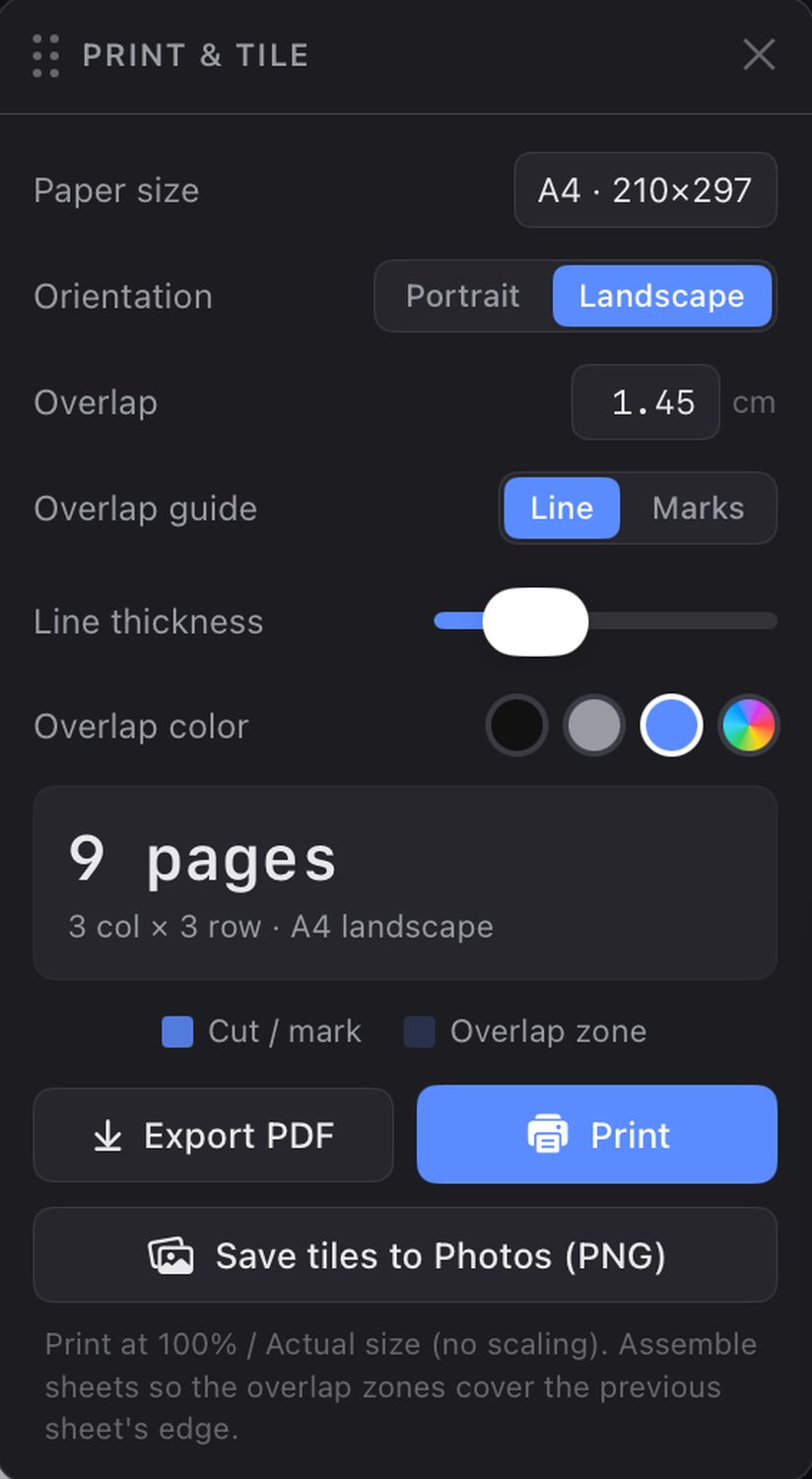
Print and Tile panel: paper size A4, landscape, overlap 1.45 cm, 9 pages, with Export PDF, Print and Save tiles to Photos buttons.
Print & Tile
  • Export PDF One file, one tile per page — share it or print it anywhere.
  • Print AirPrint, with the paper set to the size you picked.
  • Save tiles to Photos One PNG per sheet.
Print at 100% / actual size

04 Roadmap

Coming later.

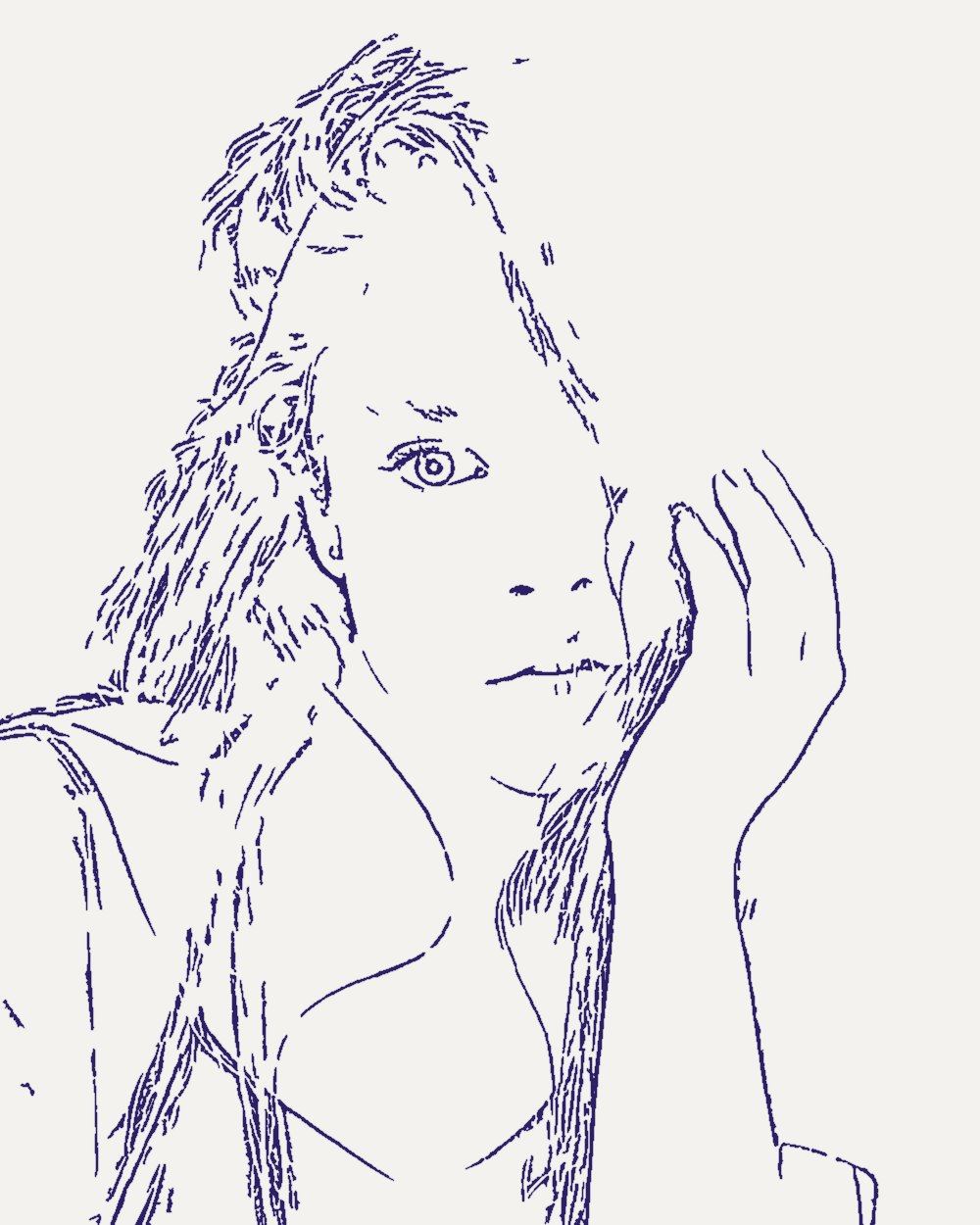
Portrait photo of a woman with long dark hair, one hand raised to her face. The same portrait as violet line work on stencil paper.
Palette
  • #342016
  • #533728
  • #835840
  • #B57F5B
  • #E2A978
  • #F4CB9B

Concept preview, not app output · Photo: Peyman Farmani / Unsplash

In development · not available yet

Artist tier

A higher tier for everything that happens before the stencil.

  • photo → stencilReference to line work Turn a photo into a stencil you can edit and print in Tatscale.
  • paletteColour palettes Pull the colours straight out of a reference photo.
  • referencesEvery reference in one place Photos, palettes and stencils for a piece, kept together.

No release date yet. Follow @tatscaleapp for news.

05 FAQ

Questions.

Anything else: hello@tatscale.com

How much does it cost?

Tatscale is free to download and your first 3 exports are free, with no card and no trial timer. Each PDF export, print or save to Photos counts as one.

After that, Tatscale Pro gives you unlimited exports and printing for $2.99/month or $9.99/year. Prices are US; they vary by country. Subscriptions are billed by Apple and you can cancel anytime in Settings.

Which iPads does it run on?

Any iPad running iPadOS 16 or later, in portrait or landscape. Tatscale is iPad-only; there's no iPhone or Mac version.

What files can I import?

PNG, JPEG and PDF from the Files app, or any image from your Photo Library. For a PDF, Tatscale imports the first page.

Which printers and paper sizes work?

Printing goes through AirPrint, so any printer your iPad can already print to will work. Tatscale asks the printer for the sheet size you picked.

Sheet sizes: A0–A6, US Letter, Legal, Tabloid and Executive, each in portrait or landscape.

Stencil printer doesn't do AirPrint? Export the tiled PDF or the PNG tiles and print them from whatever drives that printer. Either way, print at 100% / actual size.

Does it work offline?

Yes, once you're signed in. Importing, sizing, tiling and exporting all happen on the iPad. AirPrint needs the printer on the same local network, not the internet.

You need a connection to sign in, subscribe or restore a purchase.

Do I need an account?

You can explore the whole app as a guest. To export or print, sign in with Apple or with a one-time code sent to your email. You can delete your account from inside the app at any time.

Do you upload my designs?

No. Artwork never leaves your iPad. We only store your email, your name if you give one, an account ID and how many exports you've used. Privacy policy.